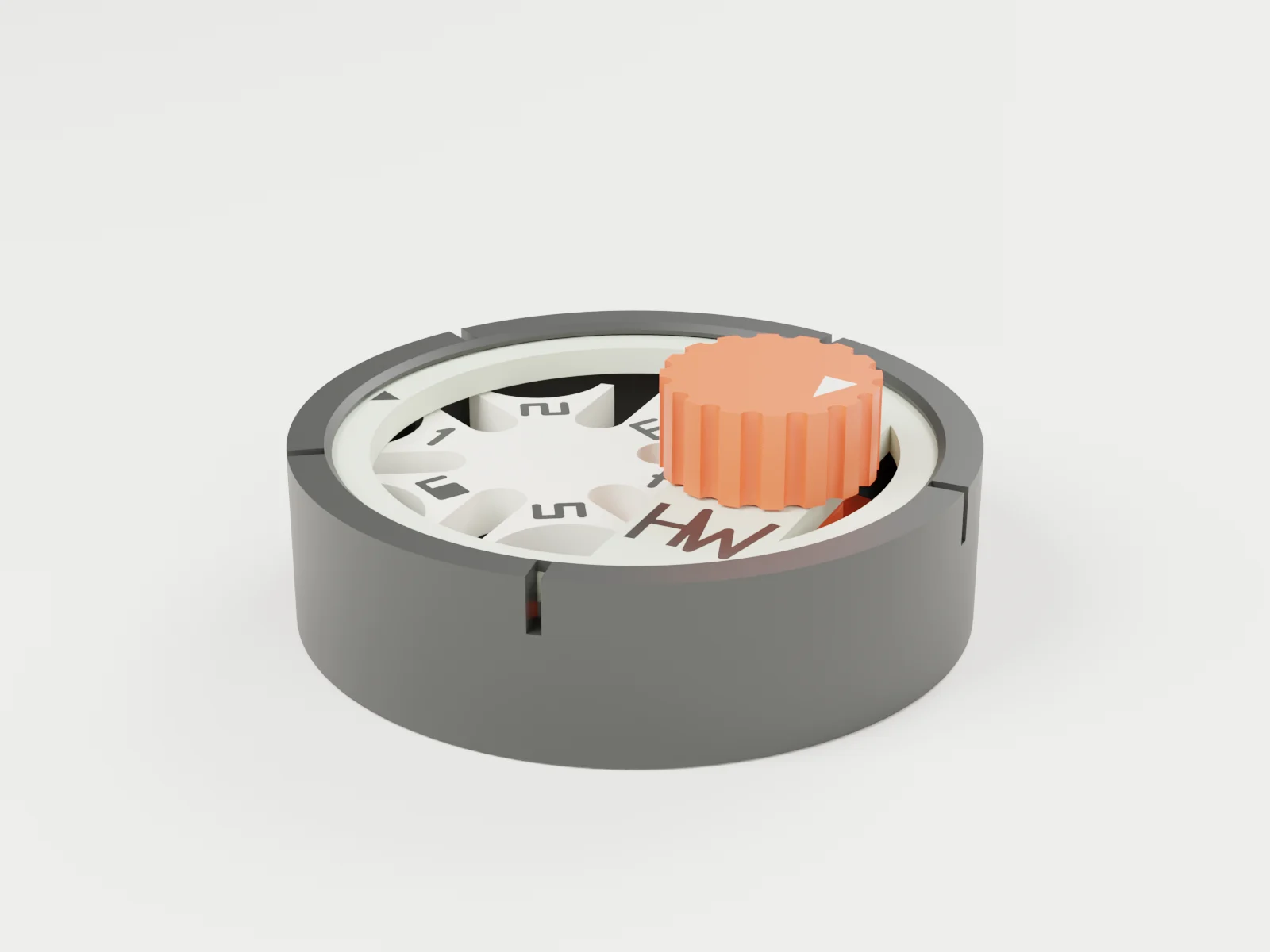
 3D render
The Pocket Geneva · 3D render of the actual model, two-colour version; colours are illustrative.
Pocket Geneva
Turn the knob once and the dial jumps to the next number, then locks until your next turn. Six clicks take it all the way round. Five printed parts, no hardware.
Not on sale yet. Watch @harryson.stl for the launch, or email help@harbeworks.com.
Digitally verified, not printed yet. It is checked in CAD and the figures below come from the CAD model and slicer estimates. Its snap lid and knob fit match our Pocket Cycloid, which we have printed, but that is not a test of this design. Desk toy for ages 14 and up; small parts.
One turn, one click.
Turn the knob and, for most of the turn, nothing happens. Then a small peg on the knob's wheel drops into a slot in the dial, pushes it round by one number and slides back out.
For the rest of the turn a round collar sits in a curved notch on the dial and holds it still, so it can never skip a number. A small printed spring arm adds the click.
Old film projectors used this exact trick to move the film on one picture at a time. It is called a Geneva drive.
What we know so far.
From the CAD model and Bambu Studio estimates, October 2026. Not printed yet.
| Spec | Value | Source |
|---|---|---|
| Motion | 1 knob turn = 1 number | Exactly 60° per turn, 6 turns per lap; the dial turns the other way to the knob |
| Held between steps | Always | 2-D check at 1,440 positions: the dial can never move far enough to skip a stop |
| Size | Ø58 × 23 mm | Assembled, from the CAD |
| Parts | 5 printed, 0 bought | Snap-in lid, press-fit knob, printed spring arm for the click |
| Filament | About 25 g of PLA | Bambu Studio estimate, all five parts on one plate (PETG optional, not sliced yet) |
| Print time | About 1 hour | Bambu Studio estimate, A1 0.4 mm, one plate |
| Two looks | Engraved, or flush two-colour | Same parts; the two-colour file adds about 7 min and 2 g |
| Physically tested | Not yet | Digitally verified, not printed |
Four steps, no tools.
The file pack includes an illustrated print and assembly guide.
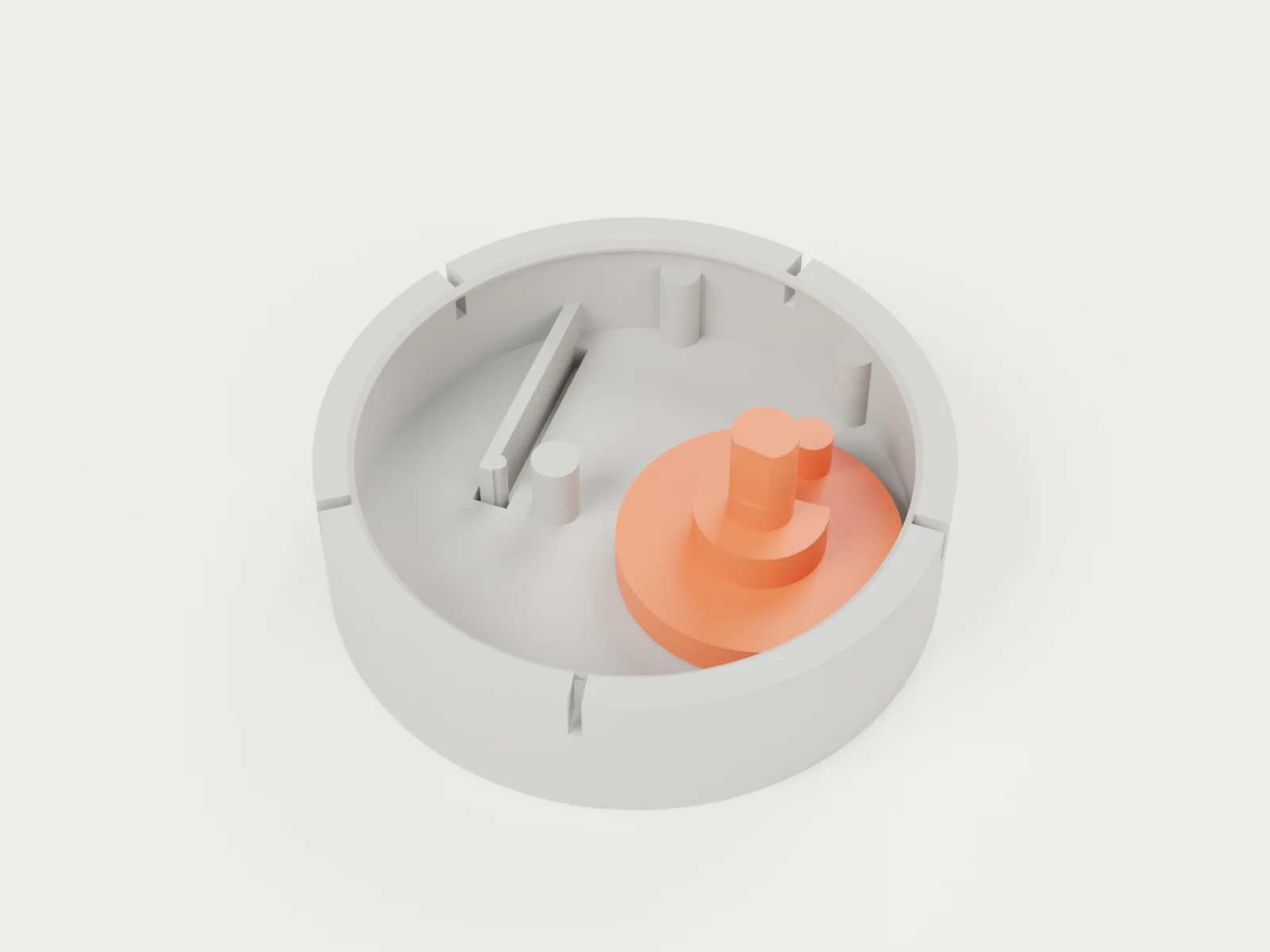
1. Drive onto its pin · 3D render 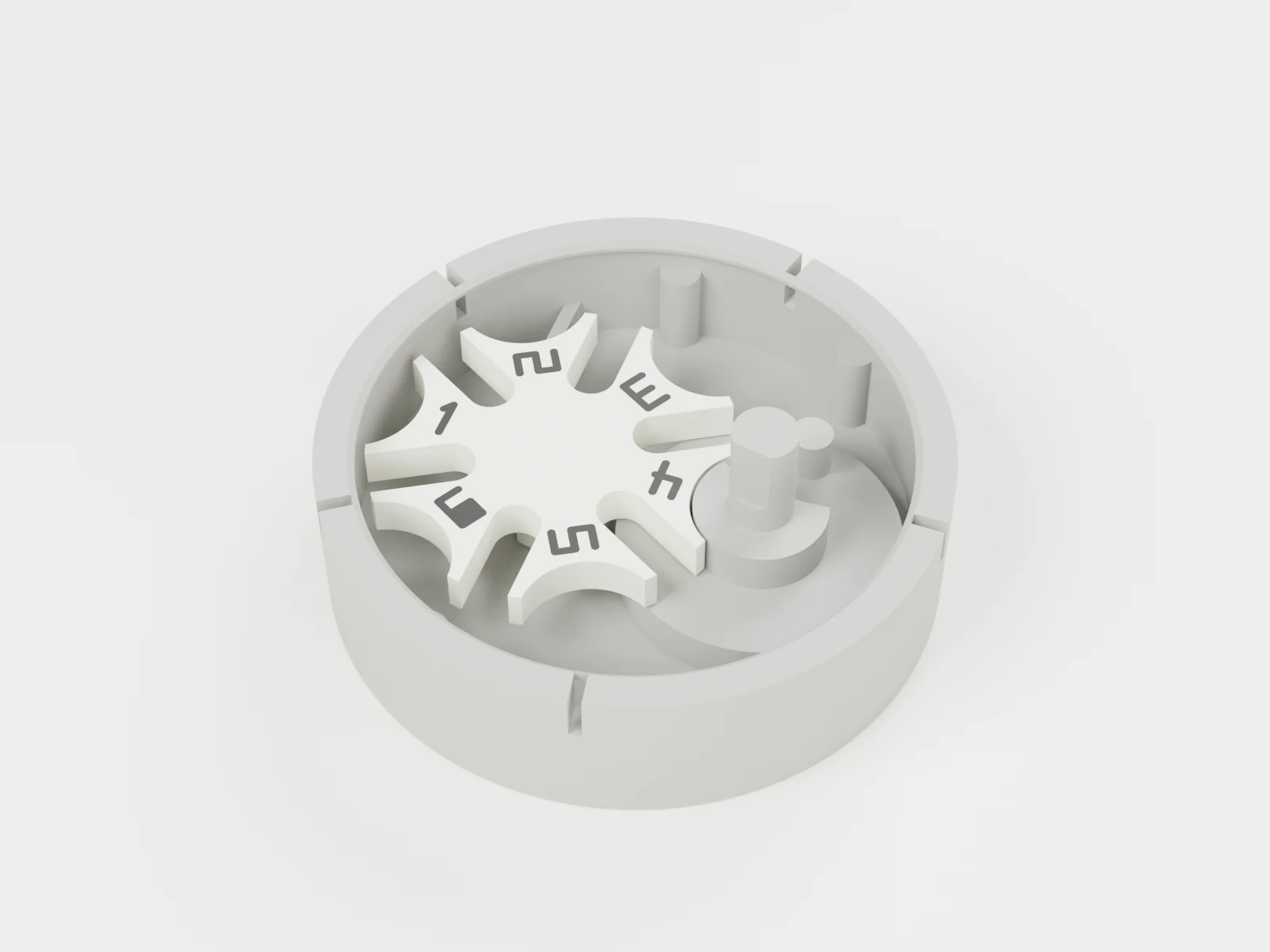
2. Dial onto its pin · 3D render 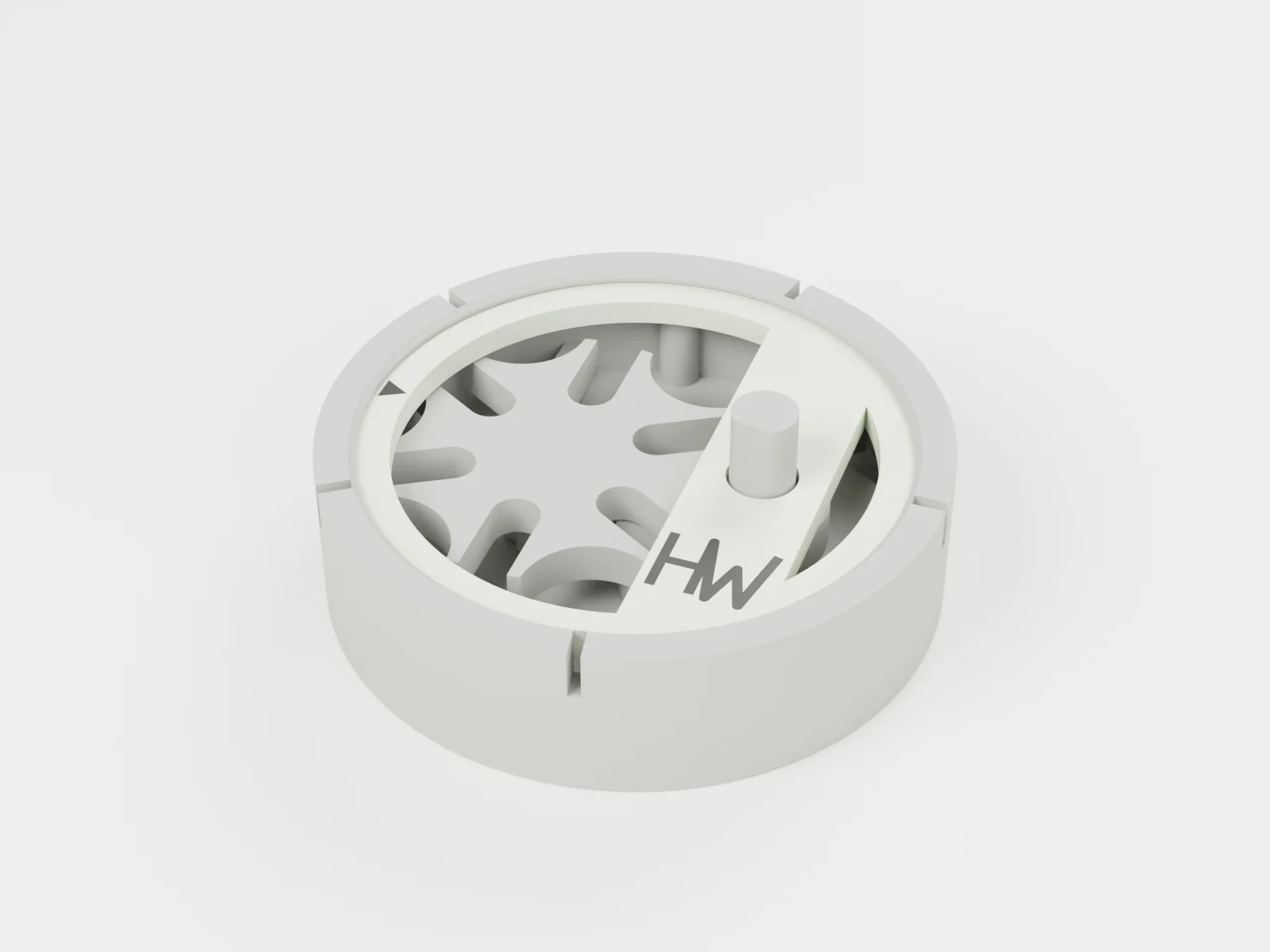
3. Snap the lid on · 3D render 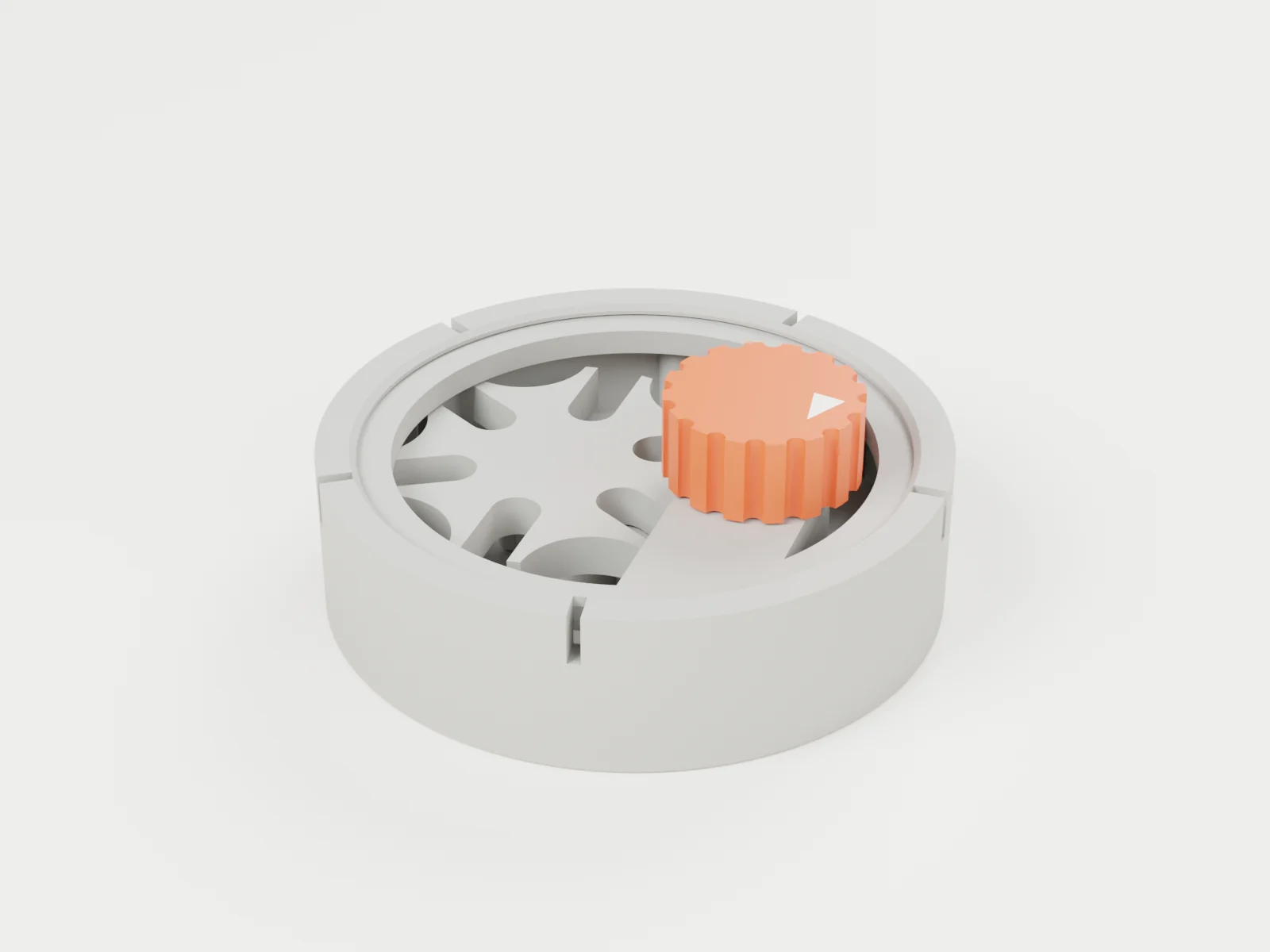
4. Press the knob on · 3D render
When can I get it?
Soon. The files are finished and checked in CAD, but we have not printed this one yet. Follow @harryson.stl for the launch.
Files or a printed one?
Both are planned: a digital file pack for your own printer, and a printed, assembled one for your desk.
Do I need any hardware?
No. Five printed parts: the lid snaps in, the knob presses on and the click comes from a printed spring arm.
How strong is the click?
We will know when we print it. How it feels, and whether the arm keeps its spring after many clicks, are the first things we test.
Is it a toy for kids?
No. It is a desk toy for ages 14 and up and has small parts.
More pocket mechanisms.
Same size, same snap-together build: the Pocket Cycloid and the Pocket Planetary.